Guide · · 4 dk okuma
How to open an online meeting room and share the link
Step by step: open a room on OVOROOM, share the join link and let guests enter without an account, just by typing a name.
Yazıyı oku
Yazar OVOKODO Ekibi · · 4 dk okuma
In short: Every OVOROOM room has a ledger: the name the person typed, the moment they connected to the meeting, the moment they left and the measured duration. The name is what the person said; the duration is what the system measured. Only the room's owner sees the ledger, and on the Pro plan can download it as CSV.
At the end of a meeting the question "who came and how long did they stay" often comes up: to prove attendance at a training, to record the length of a client call, or just to remember who came. In a tool that works with account-free guests, this record is a name and a measured duration, not an identity. The ledger's design keeps that distinction explicit.
| Information | Who produces it? | How reliable? | |---|---|---| | Name | The person, typed into a form | Their own statement; not verified | | Join moment | The server | When the person typed their name | | Connection moment | The meeting server's notification | Measured | | Leave moment | The meeting server's notification | Measured | | Duration | Calculated from connection and leave moments | Measured |
The last three columns are written only by the meeting server's signed notification; no form and no guest request can touch them. An unsigned notification is not accepted.
When a person opens the link and types a name, a row is created; but actually connecting to the meeting may come later. The minutes in between are waiting time, not meeting time. Duration is calculated from the connection moment, so minutes spent in the lobby are not written into the meeting.
On the Pro plan you can download the ledger as CSV; the file opens in spreadsheet apps. The free plan has no download, but you can always see the ledger on screen. Remember that an exported file contains personal data: keep and share it only as much as needed.
No. A name is a statement: someone can type "Anna" and be somebody else. Where attendance proof is required (a training, for example), use another verification method next to the name, such as asking participants for a confirmation at the end of the meeting. OVOROOM's ledger is an entry and exit record, not identity verification.
Only the room's owner. A guest sees their own entry but not other people's names. Someone trying to reach another person's room gets "not found"; nothing leaks as rows or as counts.
A closed room is not deleted; it stays in the list as "Closed" and its ledger is kept. So you can look at the record of past meetings later too.
The ledger contains personal data: names and time information. Telling participants that you keep a ledger is good practice. Do not keep it needlessly; delete the exported file when it is no longer needed. For situations that need legal assessment, consult an expert; this article is not legal advice.
Ready? Open a room on OVOROOM.
Guide · · 4 dk okuma
Step by step: open a room on OVOROOM, share the join link and let guests enter without an account, just by typing a name.
Yazıyı oku
Guide · · 4 dk okuma
How to turn on the waiting room in OVOROOM, admit or refuse people at the door one by one, remove someone inside and mute everyone.
Yazıyı oku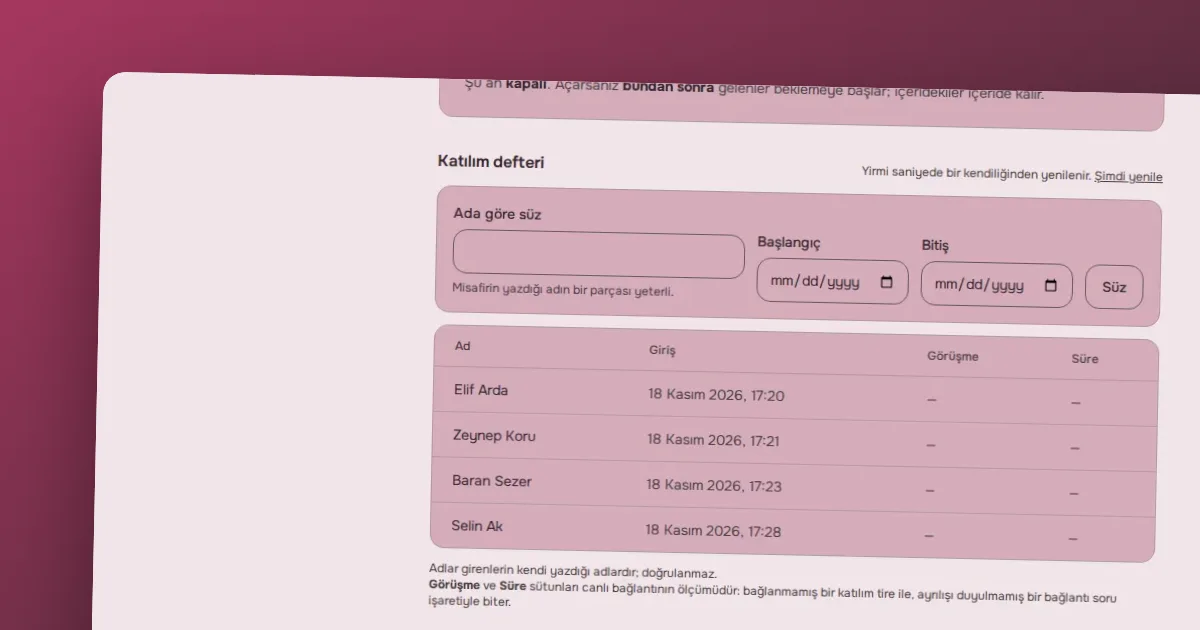
Comparison · · 4 dk okuma
Compares OVOROOM's link-based rooms with account-free guests to meeting tools that work with calendar invitations, and says when each is the right one.
Yazıyı okuMeasurement cookies measure anonymously how pages are used. They are set only if you allow them; you can change your choice from the Cookie preferences link in the footer.
We use measurement cookies to improve the site. Essential cookies are always on. · Privacy policy(opens on OVOKODO)